注釈
完全なサンプルコードをダウンロードしたり、Binderを使ってブラウザでこのサンプルを実行するには、 最後に進んでください 。
物理ベースのレンダリング#
VTK9は物理ベースレンダリング(PBR)を導入しており,その機能をPyVistaで公開しています.詳細については blog about PBR をお読みください.
PBRは pyvista.PolyData に対してのみサポートされており, add_mesh の pbr キーワード引数を介して起動できます.また, metallic および roughness 引数を使用してさらに制御できます.
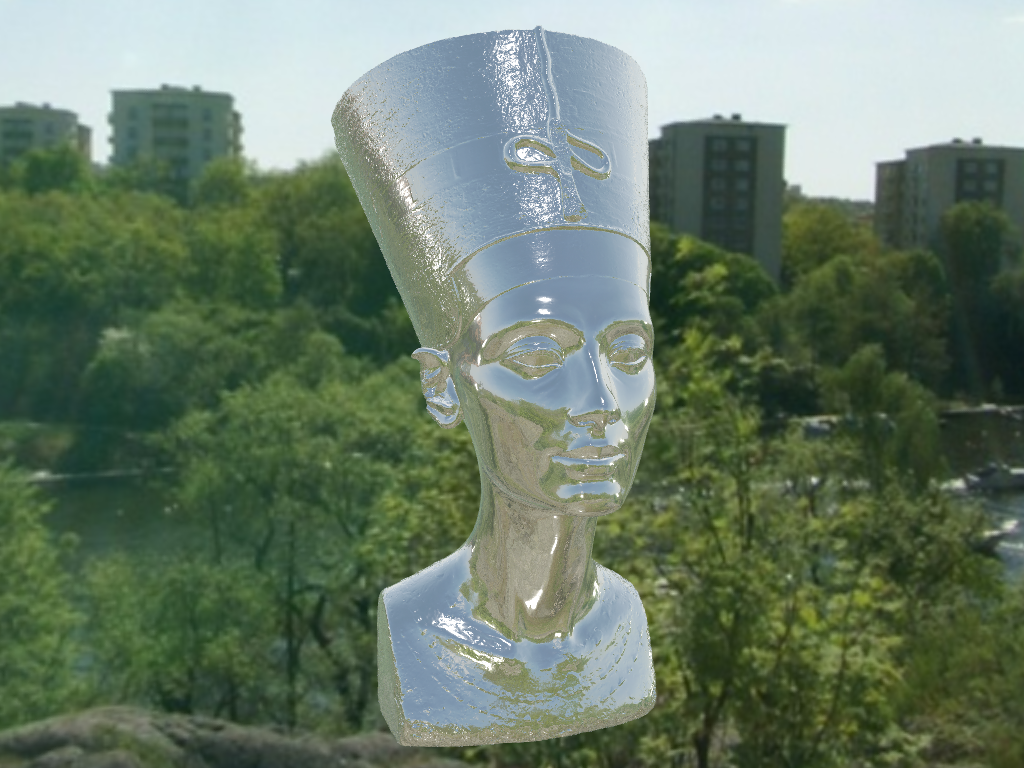
この機能を,彫像の高品質メッシュを金属のようにレンダリングすることで示しましょう.
from itertools import product

import pyvista as pv
from pyvista import examples

# Load the statue mesh
mesh = examples.download_nefertiti()
mesh.rotate_x(-90.0, inplace=True)  # rotate to orient with the skybox

# Download skybox
cubemap = examples.download_sky_box_cube_map()
/home/runner/work/pyvista-tutorial/pyvista-tutorial/tutorial/03_figures/bonus/d_pbr.py:26: UserWarning: download_nefertiti returns a dataset licensed under CC BY-NC-SA 4.0 ("The Other Nefertiti" by Al-Badri and Nelles, 2016). It may not be used for commercial purposes, and derivative works must be shared under the same license. For a CC0 alternative suitable for commercial use, see download_washington_bust or download_lincoln_life_mask.
  mesh = examples.download_nefertiti()
ベースカラーが "linen" のメッシュをレンダリングして,メタルのような仕上がりにしてみましょう.
pl = pv.Plotter()
pl.add_actor(cubemap.to_skybox())
pl.set_environment_texture(cubemap)  # For reflecting the environment off the mesh
pl.add_mesh(mesh, color="linen", pbr=True, metallic=0.8, roughness=0.1, diffuse=1)

# Define a nice camera perspective
cpos = [(-313.40, 66.09, 1000.61), (0.0, 0.0, 0.0), (0.018, 0.99, -0.06)]

pl.show(cpos=cpos)
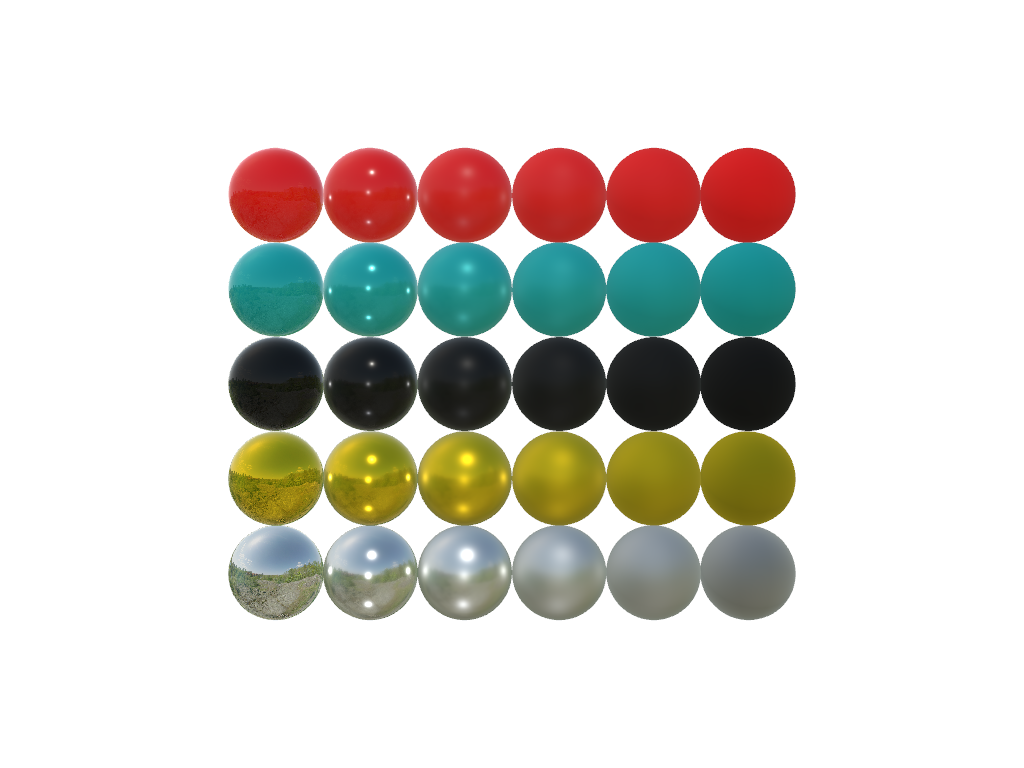
メタリックパラメータと粗さパラメータの変化を表示します.
左から右にメタリックが増加し,下から上に粗さが増加するようにプロットします.
colors = ["red", "teal", "black", "orange", "silver"]

pl = pv.Plotter()
pl.set_environment_texture(cubemap)

for i, j in product(range(5), range(6)):
    sphere = pv.Sphere(radius=0.5, center=(0.0, 4 - i, j))
    pl.add_mesh(sphere, color=colors[i], pbr=True, metallic=i / 4, roughness=j / 5)

pl.view_vector((-1, 0, 0), (0, 1, 0))
pl.show()
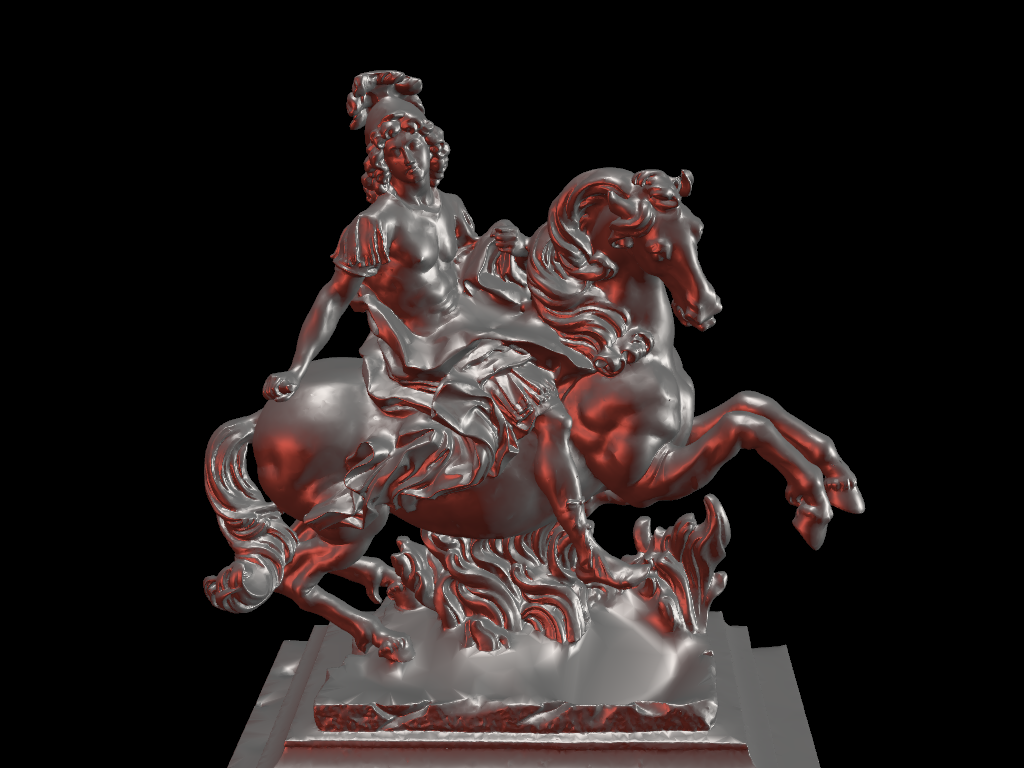
カスタム照明と物理ベースレンダリングを組み合わせます.
# download louis model
mesh = examples.download_louis_louvre()
mesh.rotate_z(140, inplace=True)


plotter = pv.Plotter(lighting=None)
plotter.set_background("black")
plotter.add_mesh(mesh, color="linen", pbr=True, metallic=0.5, roughness=0.5, diffuse=1)


# set up lighting
light = pv.Light((-2, 2, 0), (0, 0, 0), "white")
plotter.add_light(light)

light = pv.Light((2, 0, 0), (0, 0, 0), (0.7, 0.0862, 0.0549))
plotter.add_light(light)

light = pv.Light((0, 0, 10), (0, 0, 0), "white")
plotter.add_light(light)


# plot with a good camera position
plotter.camera_position = [(9.51, 13.92, 15.81), (-2.836, -0.93, 10.2), (-0.22, -0.18, 0.959)]
cpos = plotter.show()
/home/runner/work/pyvista-tutorial/pyvista-tutorial/tutorial/03_figures/bonus/d_pbr.py:80: PyVistaDeprecationWarning:
/opt/hostedtoolcache/Python/3.12.13/x64/lib/python3.12/site-packages/pyvista/core/utilities/misc.py:442: Arguments 'position', 'focal_point', 'color' must be passed as keyword arguments to function 'Light.__init__'.
From version 0.50, passing these as positional arguments will result in a TypeError.
  light = pv.Light((-2, 2, 0), (0, 0, 0), "white")
/home/runner/work/pyvista-tutorial/pyvista-tutorial/tutorial/03_figures/bonus/d_pbr.py:83: PyVistaDeprecationWarning:
/opt/hostedtoolcache/Python/3.12.13/x64/lib/python3.12/site-packages/pyvista/core/utilities/misc.py:442: Arguments 'position', 'focal_point', 'color' must be passed as keyword arguments to function 'Light.__init__'.
From version 0.50, passing these as positional arguments will result in a TypeError.
  light = pv.Light((2, 0, 0), (0, 0, 0), (0.7, 0.0862, 0.0549))
/home/runner/work/pyvista-tutorial/pyvista-tutorial/tutorial/03_figures/bonus/d_pbr.py:86: PyVistaDeprecationWarning:
/opt/hostedtoolcache/Python/3.12.13/x64/lib/python3.12/site-packages/pyvista/core/utilities/misc.py:442: Arguments 'position', 'focal_point', 'color' must be passed as keyword arguments to function 'Light.__init__'.
From version 0.50, passing these as positional arguments will result in a TypeError.
  light = pv.Light((0, 0, 10), (0, 0, 0), "white")

Total running time of the script: (1 minutes 19.379 seconds)
